Henry
HenryIf you’ve spent any time trying to grow on Pinterest, you’ve probably run into the word “keywords” more than a few times. It can sound technical, but the idea behind it is actually pretty simple. This guide breaks down what Pinterest keywords are, why they matter, and how to research and use them, including where a tool like KeywordToPin fits into the process.
What Are Pinterest Keywords?
Pinterest keywords are the words and phrases people type into the Pinterest search bar when they’re looking for something. If someone types “small bedroom decor ideas,” that phrase is a keyword. Pinterest uses these search terms, along with the words in your Pin titles, descriptions, and board names, to figure out which Pins to show for which searches.
In other words, keywords are the connective tissue between what someone is searching for and the content you’ve created. Get them right, and your Pins show up in front of the right people. Ignore them, and even great content can go unseen.
Why Pinterest Keywords Matter
Unlike a lot of social platforms, Pinterest isn’t mainly about who you follow. It’s built around search and discovery, which means a huge portion of what people see comes from typing a query into that search bar, not just scrolling a feed of people they already follow.
That means keywords aren’t a bonus feature, they’re a core part of how Pinterest works. Using the right words in the right places is what allows Pinterest’s system to understand your content well enough to show it to the right searches.
How Pinterest Search Works
Pinterest functions a lot like a visual search engine. When someone types a search, Pinterest looks at the text tied to Pins, boards, and profiles (titles, descriptions, and names) to determine which results are the closest match. It also factors in things like how recently a Pin was created and how people have engaged with it in the past.
This is different from platforms where content mostly gets shown based on who you follow or what’s trending at the moment. On Pinterest, a well-optimized Pin from months ago can still show up in searches today, sometimes long after a typical social media post would have been forgotten.
Pinterest Keywords vs Hashtags
It’s easy to confuse Pinterest keywords with hashtags, since a lot of other platforms rely heavily on hashtags to organize content. On Pinterest, hashtags play a much smaller role. Keywords in your titles, descriptions, and board names carry far more weight than hashtags do.
In practice, this means your time is much better spent writing a clear, keyword-rich description than trying to cram a list of hashtags onto a Pin. A few relevant hashtags won’t hurt, but they shouldn’t be the main strategy.
Search Intent on Pinterest
Search intent just means understanding what someone actually wants when they type a certain phrase. Someone searching “kitchen ideas” might be early in the planning process and open to lots of inspiration. Someone searching “small kitchen ideas for renters” has a much more specific need in mind.
Matching your content to the right intent matters just as much as using the right words. A generic Pin about kitchens might not satisfy someone looking for very specific, apartment-friendly solutions, even if the keyword technically overlaps.
Types of Pinterest Keywords
Short-Tail Keywords
Short-tail keywords are broad, usually just one or two words, like “home decor” or “vegan recipes.” These tend to have a lot of searches behind them, but they’re also very competitive and can attract a wide, less specific audience.
Long-Tail Keywords
Long-tail keywords are longer, more specific phrases, like “small bedroom decor ideas for renters.” These usually have fewer total searches, but the people searching them tend to know exactly what they want, which often makes long-tail keywords more useful for beginners trying to attract a focused audience.
Broad Keywords vs Specific Keywords
Broad keywords cover a wide topic area, while specific keywords narrow that topic down to something more precise. As a general rule, broad keywords are useful for board names and overall account themes, while specific keywords work well in individual Pin titles and descriptions, where you’re usually solving one particular problem or answering one particular question.
How to Find Pinterest Keywords
There are a few simple, free ways to start finding relevant keywords before you even use a dedicated tool:
- Use the Pinterest search bar itself. Start typing a broad topic and look at the autocomplete suggestions that appear. These are based on real searches other people are making.
- Check the related searches. After running a search, Pinterest often shows a row of related terms near the top of the results, which is a helpful source of additional ideas.
- Look at what’s already ranking. Pay attention to the titles and descriptions used by Pins that show up for your target search, since this often reflects language Pinterest already associates with that topic.
These methods are a great starting point, but they only give you a partial picture, since they don’t tell you how many people are actually searching a given term or how it compares to similar options.
How to Research Pinterest Keywords With KeywordToPin
This is where a dedicated tool like KeywordToPin becomes genuinely useful. KeywordToPin is built specifically for Pinterest keyword research, and it gives you data such as search volume and popularity information, which helps you understand what people are actually searching for on Pinterest rather than guessing based on autocomplete alone.
Here’s a simple way a beginner might use it:
- Start with a broad topic or niche, like “home decor.”
- Enter that topic into KeywordToPin.
- Explore the related Pinterest keyword ideas it generates.
- Look at the search volume and popularity data provided for each keyword.
- Use the available filters to narrow the results down to the ones most relevant to your content.
- Pick out keywords that genuinely match the content you’re planning to create.
- Build your Pins, boards, and content around those selected keywords.
It’s worth remembering that keyword data is a guide, not a guarantee. A keyword with high search volume is only useful if it’s actually relevant to what you’re creating. Popularity numbers help you prioritize your options, but relevance and search intent still need to come first.
How to Choose the Right Pinterest Keywords
A common beginner mistake is chasing the keyword with the highest search volume, regardless of whether it truly fits the content. A better approach is to weigh a few things together:
- Relevance: Does this keyword accurately describe what you’re creating?
- Specificity: Is it specific enough to attract people who are genuinely interested, rather than just curious browsers?
- Intent: Does the phrase match what someone searching it is likely trying to find or do?
- Popularity: Is there a reasonable amount of search interest, based on the data you’re looking at?
A moderately searched keyword that closely matches your content will usually outperform a high-volume keyword that only loosely fits what you’ve made.
Where to Use Pinterest Keywords
Once you’ve chosen a set of keywords, they should show up naturally in a few key places:
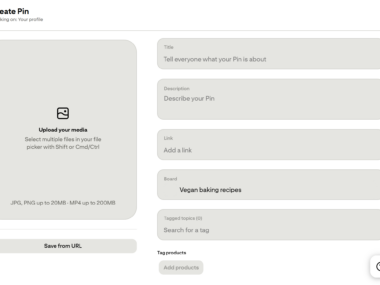
- Pin titles, where the main keyword should appear clearly and early
- Pin descriptions, where you can include the main keyword plus a couple of related phrases in natural sentences
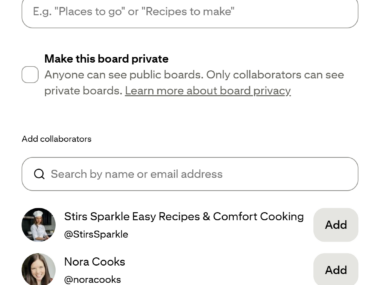
- Board names, using broader keywords that describe the overall topic of the board
- Board descriptions, where a sentence or two of natural, keyword-relevant text helps clarify the board’s focus
- Your profile bio, where a mention of your main niche keywords helps Pinterest understand your account as a whole
- Your website or blog content, where keeping your on-page content aligned with your Pin keywords creates a consistent, trustworthy experience for anyone who clicks through
How to Use Pinterest Keywords Without Keyword Stuffing
Keyword stuffing is when someone crams as many keyword variations as possible into a title or description, often at the expense of it making any sense. Something like “vegan recipes vegan dinner vegan food vegan easy vegan quick” reads poorly and doesn’t help anyone.
A better approach is to write normal, clear sentences that happen to include your target keywords. If it sounds like something a real person would say out loud, it’s probably natural enough.
How to Build a Simple Pinterest Keyword Strategy
You don’t need a complicated spreadsheet to get started. A simple, repeatable process looks something like this:
- Pick your main niche or topic.
- Research broader keywords related to that niche using Pinterest search and a tool like KeywordToPin.
- Narrow those broad ideas down into more specific, long-tail keyword ideas.
- Group related keywords together into board topics.
- Plan individual Pin ideas around specific keywords within each board topic.
- Write titles and descriptions that use those keywords naturally.
Over time, you can revisit this process as you notice which topics and keywords tend to get more engagement.
Common Pinterest Keyword Mistakes
- Only targeting broad keywords. These are harder to rank for and often attract a less focused audience.
- Keyword stuffing titles and descriptions. This reads poorly and doesn’t actually help performance.
- Ignoring search intent. Matching a keyword without matching what the searcher actually wants leads to disappointing results.
- Choosing keywords based on volume alone. A high search number means nothing if the keyword isn’t truly relevant to your content.
- Using different keywords everywhere with no consistency. Loosely connected boards, Pins, and bios make it harder for Pinterest to understand your overall account.
A Simple Pinterest Keyword Research Example
Let’s say you’re in the home decor niche. You might start with a broad topic like “home decor” and enter it into a keyword research tool. From there, you narrow things down into more specific ideas such as:
- “small living room ideas”
- “small bedroom decor”
- “modern home office ideas”
From here, you can turn that research into an actual content plan. A simple way to think about it is:
Keyword → Pin topic → Board → Website article or landing page
So “small living room ideas” might become a Pin titled “10 Small Living Room Ideas That Still Feel Spacious,” saved into a board called “Small Space Living,” and linked to a blog post or landing page that goes into more depth on the same topic. Each part of the chain reinforces the same keyword, which makes the whole piece of content easier for Pinterest, and real people, to understand.
Final Thoughts
Pinterest keywords aren’t about tricking the system, they’re about speaking the same language as the people already searching for what you’re creating. Start broad, narrow things down into specific, relevant phrases, use tools like KeywordToPin to get a clearer picture of what’s actually being searched, and always weigh relevance and intent alongside popularity. Do that consistently, and your Pins, boards, and profile will naturally line up with what people on Pinterest are already looking for.
FAQ
Do I need a paid tool to research Pinterest keywords?
No, you can start for free using Pinterest’s own search bar and related search suggestions. Dedicated tools like KeywordToPin simply give you more detailed data, such as search volume and popularity, to help guide your choices.
How many keywords should I use in one Pin description?
There’s no exact number, but one main keyword plus a couple of closely related phrases, written naturally, is usually enough. Avoid forcing in more than that just to fit extra terms.
Should I use the same keyword in every field for a Pin?
Not exactly the same phrase everywhere. Use your main keyword in the title, then include it and a few related variations naturally in the description, board name, and board description.
Are hashtags important for Pinterest keywords?
Not as important as they are on other platforms. Keywords in your titles, descriptions, and board names carry far more weight than hashtags on Pinterest.
How often should I update my Pinterest keyword strategy?
It’s worth revisiting every few months, especially as you learn which topics and phrases tend to perform better for your specific account and niche.
Can using the wrong keywords hurt my Pinterest account?
It won’t get your account penalized, but using irrelevant or misleading keywords can lead to lower engagement, since your content won’t match what people expected when they clicked.

 Henry
Henry